Issue: How can I report a spelling mistake, missing file or another quality problem with a product?
Resolution: You can report a quality issue directly from the product listing. This automatically sends the product details and your report to the correct team.
How to Report a Product
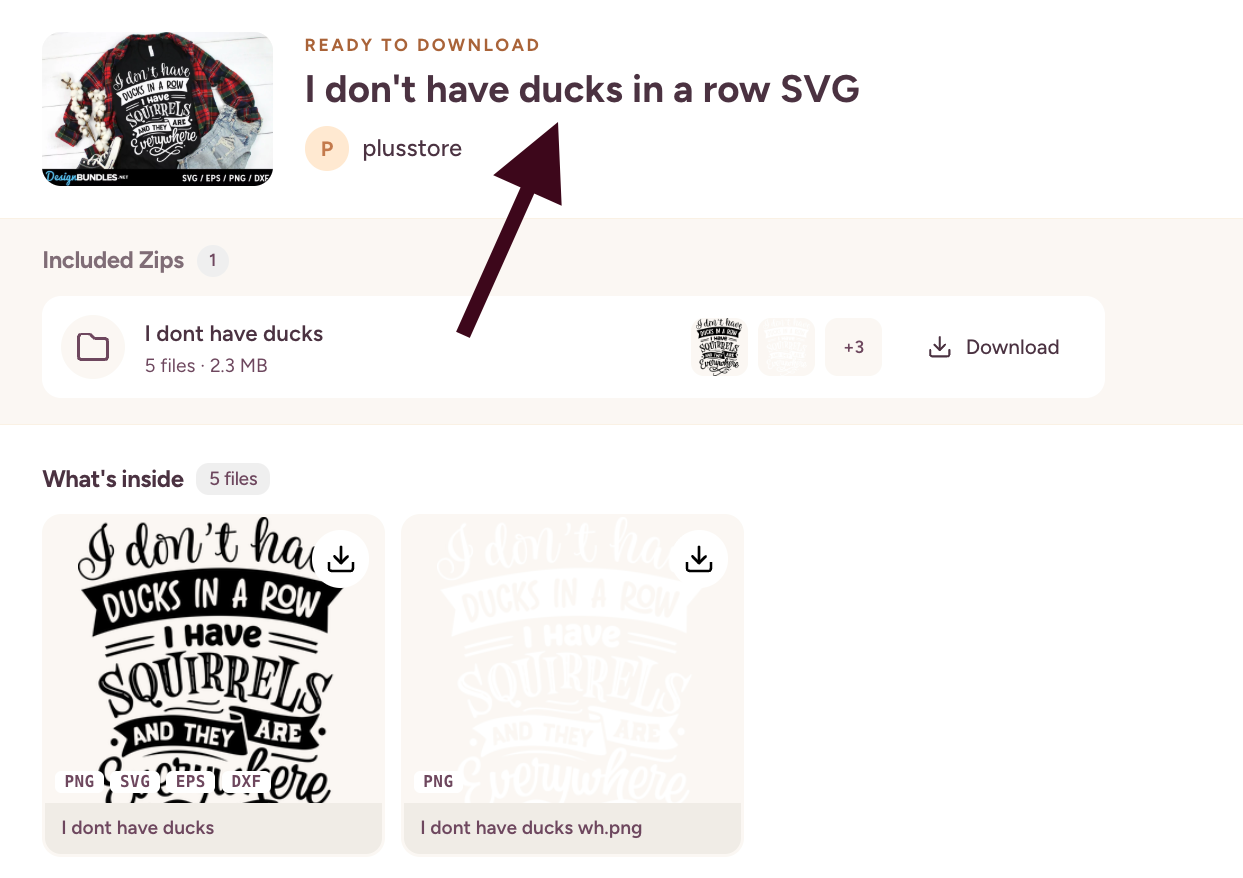
Find the product in your Downloads or the search results and select its image.
On the download page, select the product title to open the full listing.
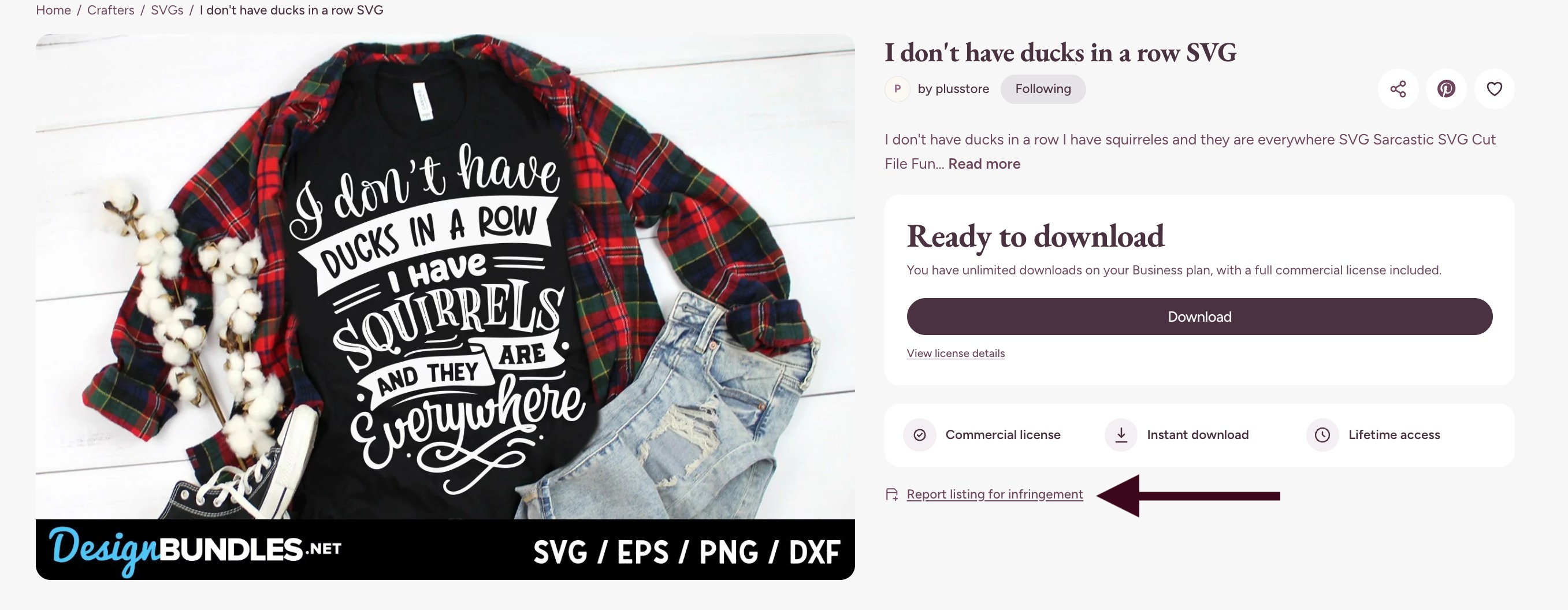
Select Report listing for infringement.
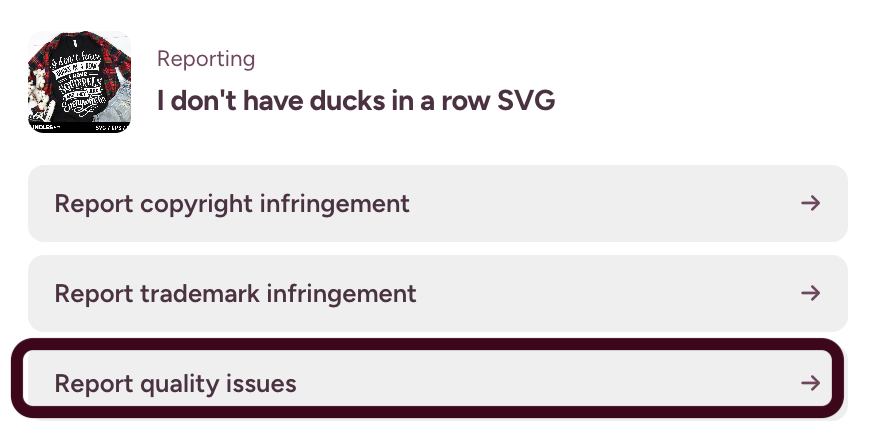
Select Report quality issues.
Enter your email address and explain the problem in the Provide more details box.
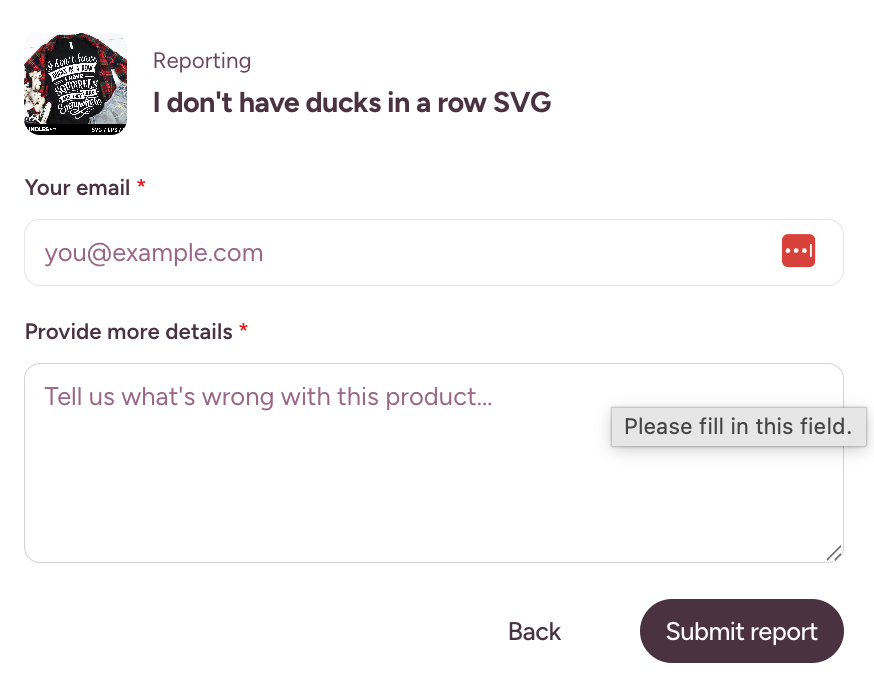
Select Submit report.
Please include as much relevant information as possible, such as:
The spelling mistake or incorrect wording
The name of a missing or damaged file
The affected file format
Differences between the product preview and downloaded files
Any error message you received
What Happens Next?
Our team will review the report and take any appropriate action. Providing clear details helps us investigate the problem more quickly.
Copyright and Trademark Reports
The reporting page also contains separate options for copyright and trademark concerns. Please select the option that best matches your report.
Need Help?
If you cannot access the listing or submit the form, please contact Customer Support.
Was this article helpful?
That’s Great!
Thank you for your feedback
Sorry! We couldn't be helpful
Thank you for your feedback
Feedback sent
We appreciate your effort and will try to fix the article