Issue: Can I temporarily pause my Design Bundles subscription instead of cancelling?
Resolution: Monthly subscriptions can be paused for up to three months in total each year. Yearly subscriptions cannot currently be paused.
Pause Your Subscription
Sign in to your Design Bundles account.
Open Plan and Billing.
Select the option to cancel your subscription.
When the pause option appears, choose how long you want to pause.
Confirm your selection.
You will see confirmation of when the pause will begin, together with the option to cancel the scheduled pause if you change your mind.
When Will the Pause Begin?
Your subscription remains active until your next billing date.
The pause begins on that date, and you will not be charged while the subscription is paused.
What Happens During the Pause?
While paused:
Past paid purchases remain available.
Products claimed using legacy credits or monthly downloads remain available.
Hobbyist downloads already claimed remain available.
Unlimited products cannot be downloaded again until the subscription is resumed.
Remaining monthly downloads cannot be spent.
No new monthly downloads are added.
Your subscription resumes automatically when the selected pause period ends.
Legacy Subscriptions
If you have a legacy Bronze, Basic, Silver, Gold or Pro subscription, you may need to update your payment details to move your billing to Stripe, our current payment processor. The pause option will become available once your subscription is on Stripe.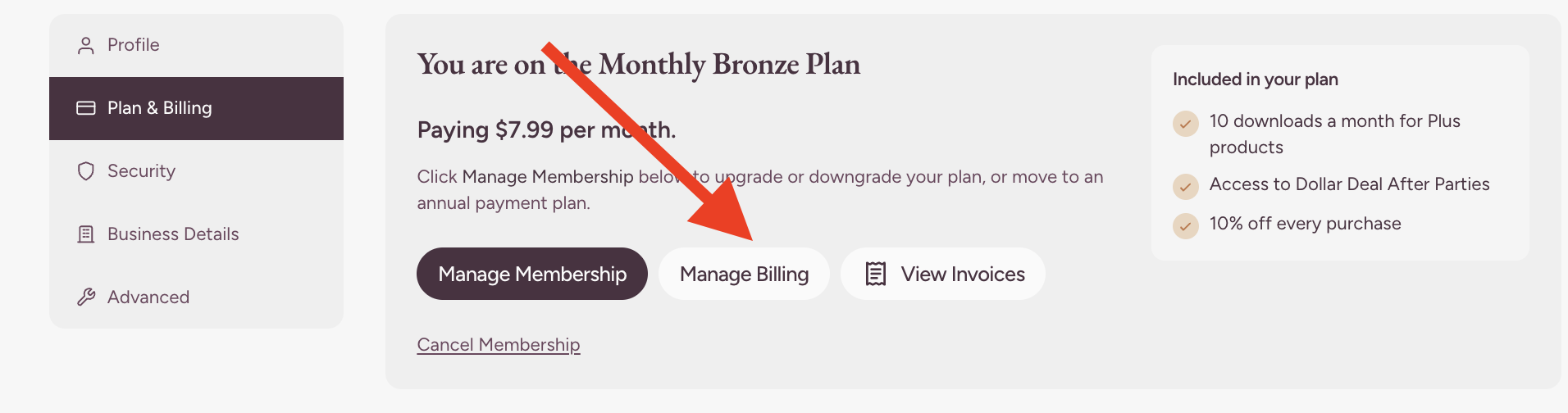
Check the price and next billing date shown before confirming. If a payment is overdue or the price differs from what you expect, contact Customer Support first.
Can I Resume Early?
Yes. You can resume at any time from Plan and Billing.
You may also be prompted to resume when trying to download a new product.
If you resume early, your billing cycle will restart from that date and the full monthly fee will be charged immediately.
Need Help?
If you cannot pause or resume your subscription, please contact Customer Support.
Was this article helpful?
That’s Great!
Thank you for your feedback
Sorry! We couldn't be helpful
Thank you for your feedback
Feedback sent
We appreciate your effort and will try to fix the article